
INDEPENDENT PRODUCT / MOBILE APPLICATION
Save It
I wanted my saved links to be easier to come back to, not just easier to collect.
Save It is a local-first link library that brings links from different apps into one place, organized around what someone wants to do with them later.
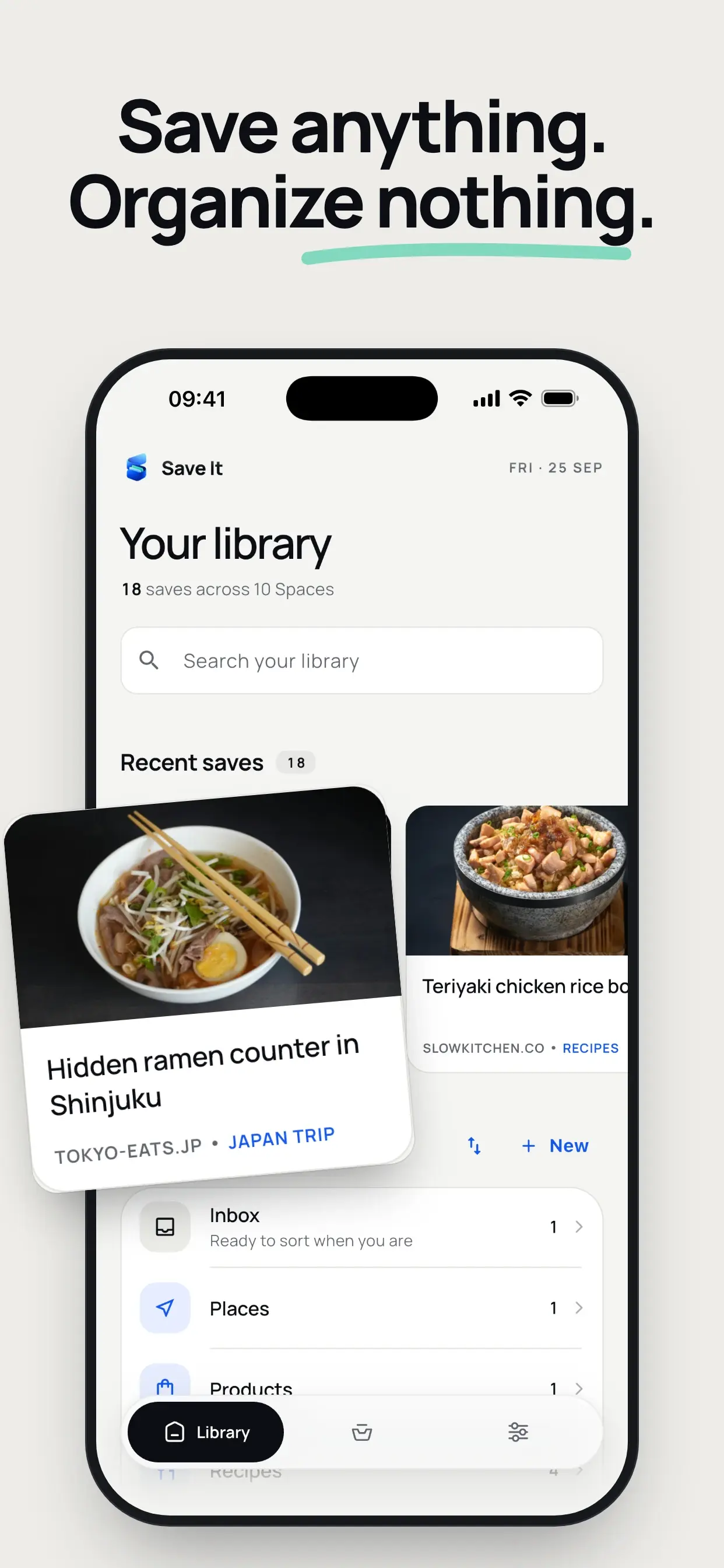
Saving Was Easy. Coming Back Wasn't.
I'd save a useful LinkedIn post, a YouTube video, a recipe on Instagram, or a place I wanted to visit. Each one made sense at the moment. Later, they were scattered across different saved lists.
The frustrating part wasn't always finding a particular link. Sometimes I had time to watch something, read, cook, or explore somewhere, but no simple way to browse everything I'd saved for that moment.
I didn't want another folder system to maintain. I wanted to start with a different question:
What do I feel like doing today?
That question shaped Save It.Organized Around Intent
A restaurant, a recipe, and a video can all come from Instagram. But they belong to different moments in someone's day.
That's why I organized Save It around Spaces.
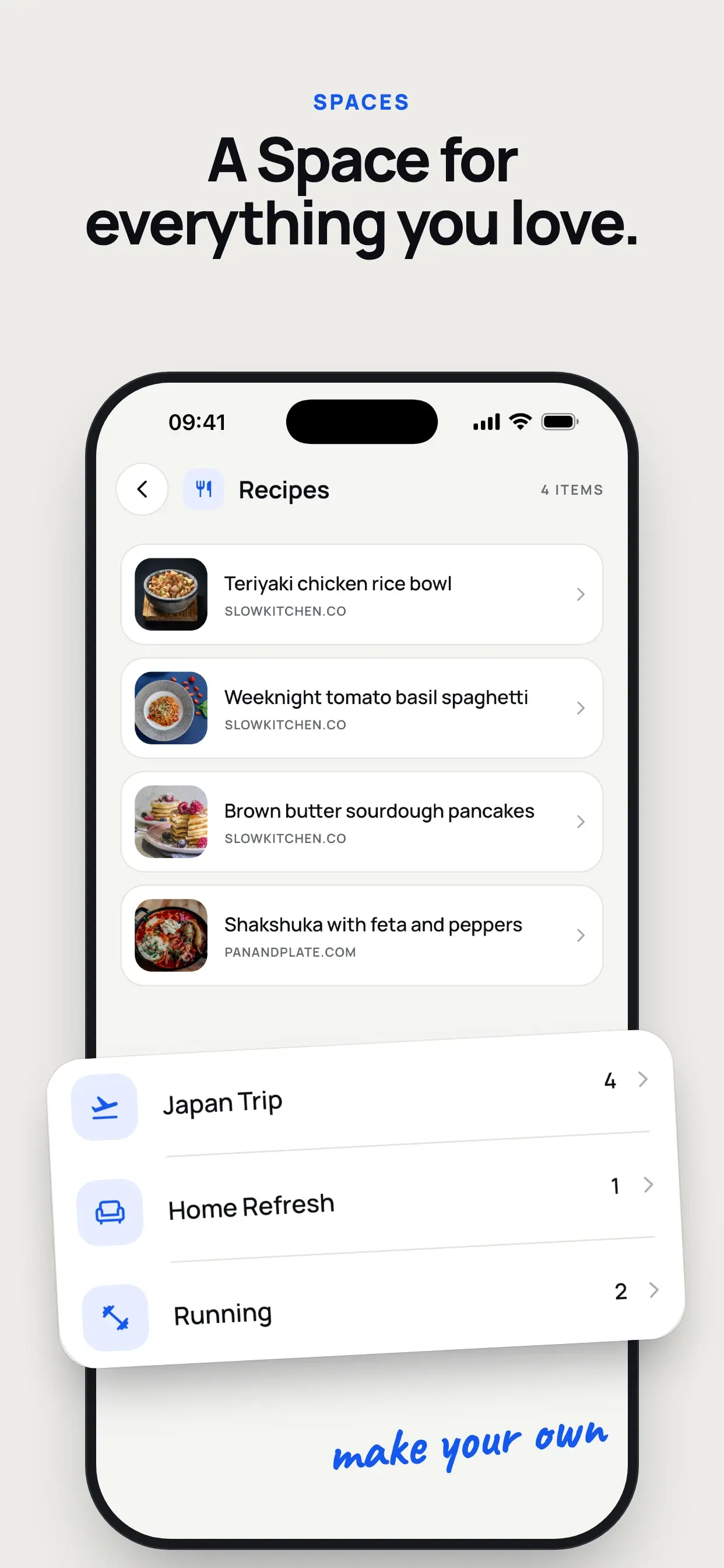
An editorial map of Spaces
Places, Recipes, Watch, Read Later, Products, and custom Spaces give saved links a destination based on what someone wants to do, rather than where the link came from.
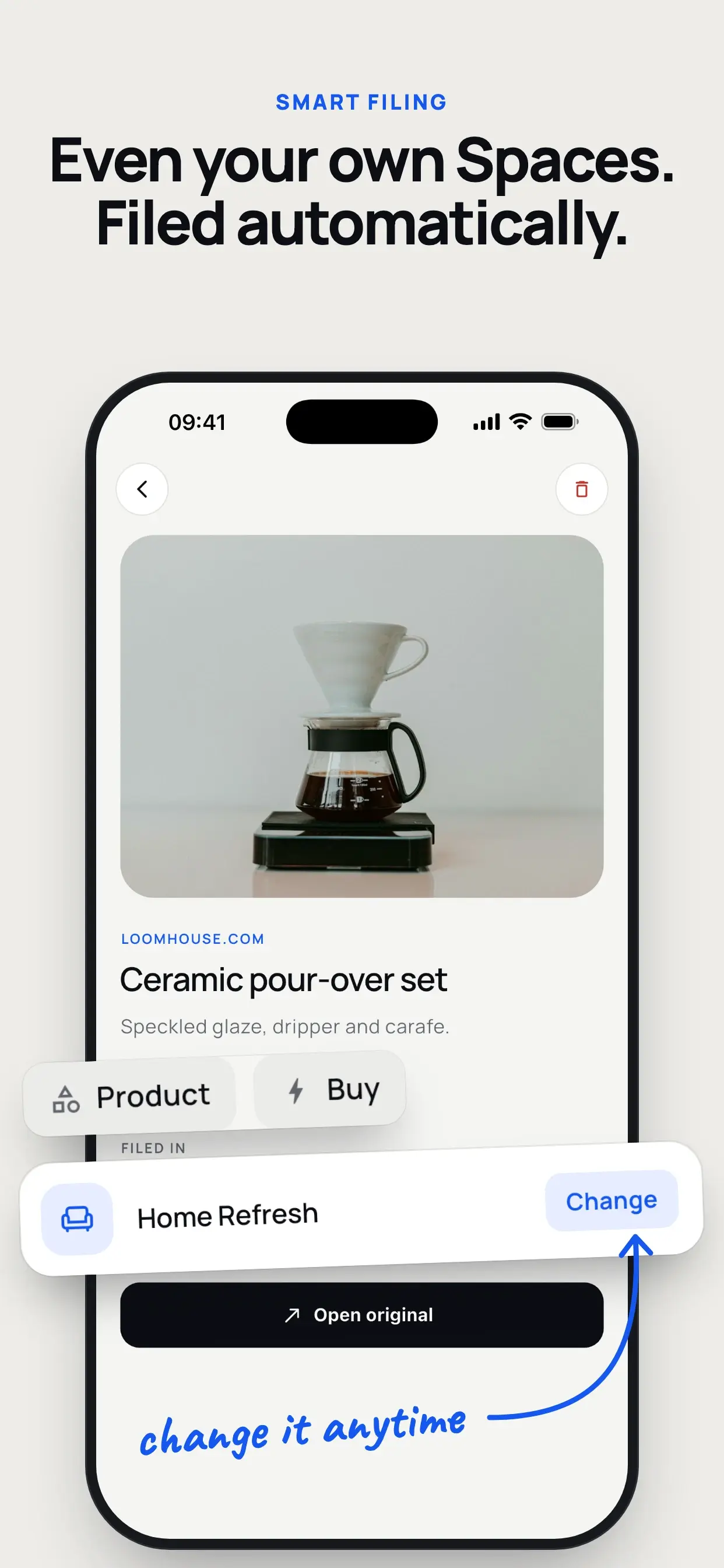
I kept saving separate from organizing. A link can be captured through the Share Sheet without choosing a category first.
AI-assisted classification handles the initial placement. When the destination isn't clear, the item stays in the Inbox instead of being forced into the wrong Space.
Moving a link is an explicit correction. I keep that choice separate from automatic placement, while repeated corrections can inform future suggestions from the same domain. Those suggestions can still be wrong, so manual organization remains part of the experience.
Keep it in the Inbox.
Automation handles the repetitive work. The user keeps control.
Capture First. Classify Second.
A simple save action shouldn't depend on an AI response or a stable internet connection.
That product decision shaped the architecture.
Capture
Local- NativeShare Extension
- Pending captureApp Group
- Local LibraryFlutter + SQLite
Saved locally. Enrichment runs independently.
Enrichment
Network-assisted- Saved Link
- MetadataCloud-assisted classification
- Space or InboxManual organization stays available
I built the capture flow with a native Swift Share Extension. App Groups transfer the captured information to the Flutter application, where SQLite manages the local link library.
Saving and understanding a link are separate operations.
The initial capture works through local storage. Metadata enrichment and cloud-assisted AI categorization happen independently, so network delays don't have to become failed saves.
The same separation applies to the business model. Saving, browsing, and manual organization remain available without Pro. AI categorization is an additional capability, not a requirement for keeping a personal library.
For example, a restaurant link can be saved from the Share Sheet before its destination is known. The extension's “Saved to Inbox” message confirms capture; placement is decided in the app. If classification cannot place it, or the free allowance has been used, it stays in the Inbox and can still be moved manually.
The intelligence should improve the experience, not become a dependency for using it.